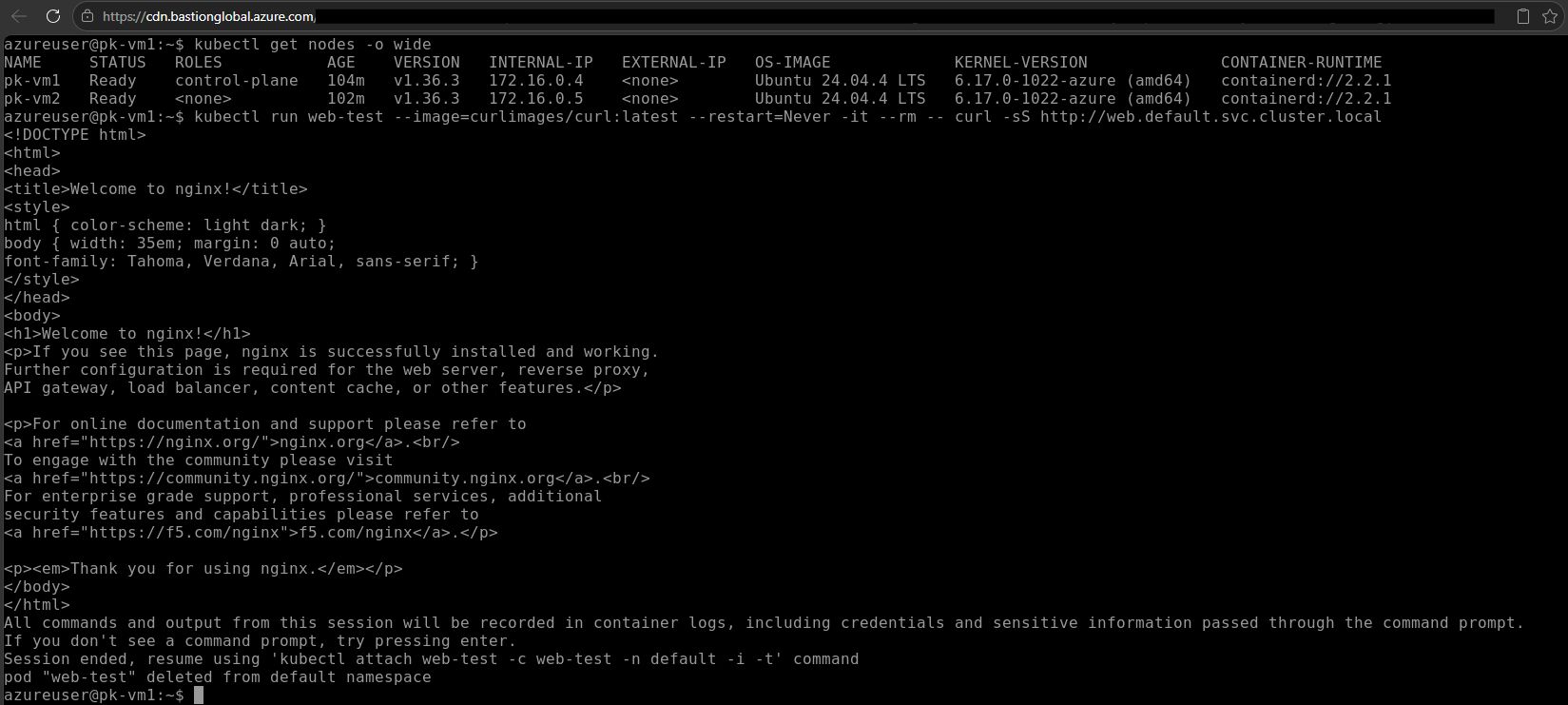
Created a fully automated Kubernetes cluster in an Azure sandbox for my CKA practice.
I've now successfully built and tested a fully automated two-node Kubernetes cluster in the Whizlabs Azure sandbox. I chose the best VM they offer for the sandbox: a B2ms. This isn't a size you'd normally pick for a system node in production but it's more than enough for a two-node practice cluster.
The setup uses Calico as the CNI, with VXLAN networking for pod-to-pod communication across nodes. The automation scripts now handle the complete workflow: infrastructure deployment, Kubernetes initialization, worker joining, Calico installation, and connectivity testing.
The result: I can provision a working two-node cluster in a bit more than 5 minutes. At first it was 7 minutes, but running independent steps like VM provisioning and script downloads in parallel instead of sequentially cut that down.
My first attempt exposed an interesting networking issue. A pod on VM1 could not reach a pod on VM2, not even via its direct pod IP. Since that test used a numeric IP address rather than a hostname, I could rule out DNS as the cause: the underlying cross-node pod network itself was failing. The root cause was that Azure NIC IP forwarding is disabled by default. Once IP forwarding was enabled on both VM network interfaces, Calico's cross-node networking worked as expected. I changed this in my bicep script, it is now enabled.
My lessons learned:
- A direct pod-IP connectivity test helps separate network problems from DNS problems.
- DNS troubleshooting should come after verifying basic pod-to-pod connectivity.
- Azure NIC IP forwarding must be enabled when the VM forwards traffic for pod networks.
- Even with IP forwarding already enabled, a fresh install's DNS didn't work until CoreDNS was restarted, worth trying if DNS issues persist despite the underlying network being correct.
- Automation needs to handle more than resource creation: dependency ordering, Cloud Shell IP detection, NSG rules, SSH readiness, Kubernetes initialization, Calico installation, waiting periods, and validation.
- kubectl manifest order matters: install the Calico CRDs and operator before applying Calico custom resources.
It took me about a day to get the scripts right, troubleshoot the cross-node networking issue, validate the DNS behavior, and test the complete flow, but it was worth it!
The most valuable part wasn't just getting the cluster running: it was creating a fully automated install script through some trial and error.
Which means I finally have what I set out to build: an on-demand practice cluster for CKA, ready whenever I want to run through real admin and troubleshooting scenarios.
You can find my scripts here: https://github.com/P47K0/k8s-whizlabs-sandbox