When pod-to-pod connectivity fails in Kubernetes, the first thing I do is test from inside the source pod. When you don't have the easy tools like wget or curl, fall back to the basics.
My approach: Start with easy tools first, then fall back to bash basics.
1. First try: curl
curl -s http://localhost:8080/hc
2. Then try: nc -vz for port check (if curl missing)
nc -vz localhost 8080
3. Then try: wget
wget -q -O /dev/null --spider http://localhost:8080/hc && echo "OK" || echo "Failed"
4. Fall back: bash /dev/tcp port check
cat < /dev/null > /dev/tcp/8.8.8.8/53; echo $?
Returns 0 if open, non-zero if blocked. Works in any bash container — no external tools needed.
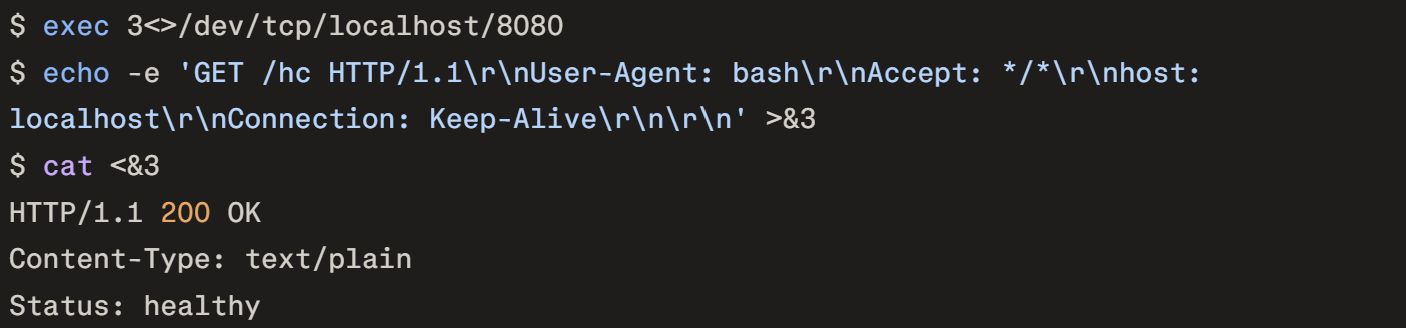
5. Fall back: HTTP GET with cat
exec 3<>/dev/tcp/localhost/8080
echo -e 'GET /hc HTTP/1.1\r\nUser-Agent: bash\r\nAccept: */*\r\nhost: localhost\r\nConnection: Keep-Alive\r\n\r\n' >&3
cat <&3
Raw HTTP request using just bash redirection.
6. PowerShell/.NET (for Windows containers)
(New-Object System.Net.Sockets.TcpClient("20.73.131.39", 9003)).GetStream().Write(@(0x30, 0x31), 0, 1)
Why /dev/tcp works: Bash's special file that opens TCP connections, perfect for minimal containers without networking tools.
I saved these over time. curl → wget → /dev/tcp is my go-to sequence. What's yours?